Zelo is a challenge planner for Android built around one question: what do I need to do today to finish on time? Set a goal and a deadline, log what you do, and Zelo keeps today's target honest.
Signed up to walk 100 km for charity this month? Tell Zelo the goal and the date. Miss a couple of days and it spreads what's left across the days you have, so you always know today's number.
WHAT IT DOES
What you get
Today's number
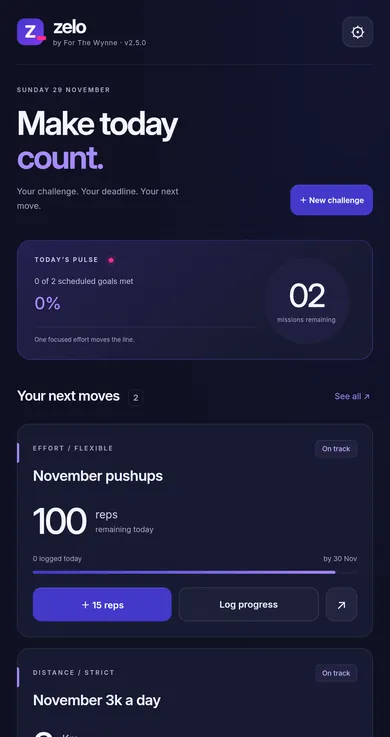
Each challenge shows exactly how much is left for today, based on what you've done and the days remaining.
Catch-up planner
Behind? Keep the deadline and spread the remaining effort, or let Zelo suggest a realistic new finish date. You preview it before anything changes.
Flexible schedules
Choose training days and rest days, or aim for a number of sessions a week, such as three gym visits.
Reminders only when needed
A nudge at the time you choose, but only if there's still work to do. Rest days and finished goals stay quiet.
One-tap logging
A home-screen widget shows what's left and logs progress without opening the app.
See where you're heading
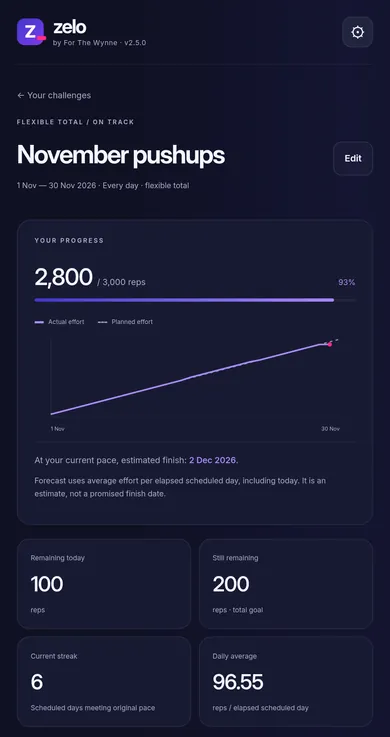
Charts compare your actual effort with the plan and estimate your finish date, with streaks and a consistency calendar.
Share your progress
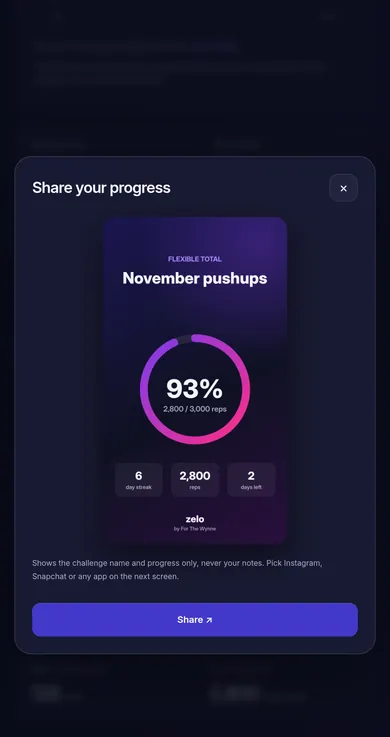
Turn a challenge into a story-sized image for Instagram, Snapchat or a group chat. It shows your progress, never your notes.
Updates itself
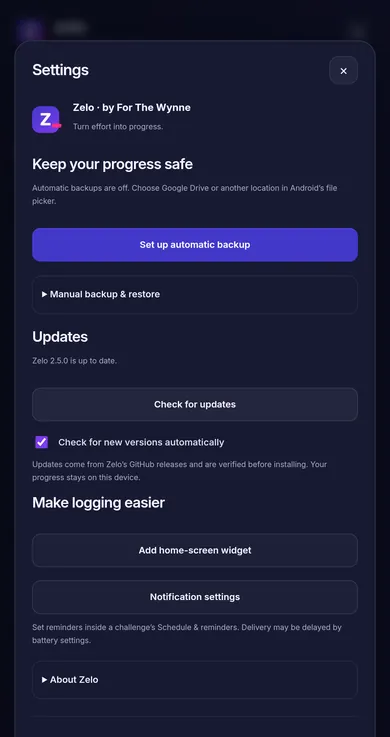
Zelo checks for new versions and installs them when you say so, after verifying each download.
TAKE A LOOK
Screens
TodayChallenge detailInsightsShare your progressSettings
GET STARTED
Install Zelo
Download the APK
Tap Download for Android on this page. Your browser may warn that this type of file can harm your device. That's a standard Android message for any app that doesn't come from Google Play. Choose Download anyway.
Allow your browser to install apps
Open the downloaded file. The first time, Android asks you to allow installs from your browser or file manager. Tap Settings, switch on Allow from this source, then go back.
Install
Tap Install. Google Play Protect may offer to scan the app; let it, then tap Install again if asked.
Open and allow permissions
Open the app. It explains each permission when it asks for it (see below).
Updating
From version 2.5.0, Zelo updates itself. It checks for new versions up to twice a day, or go to Settings → Check for updates. Each download is verified before Android asks you to confirm, and your progress is kept. On an older version? Install the latest from this page over the top. Don't uninstall first.
QUESTIONS
FAQs
Can I share my progress?
Yes. Open a challenge and tap Share progress (or Share your win when it's done) to make an image for any app on your phone. Notes are never included.
Do I need an account or internet?
No account, ever. Zelo works fully offline; it only goes online to check for updates, which you can turn off in Settings.
What kinds of challenges work?
Anything you can count: pages read, kilometres walked, press-ups, hours practised, savings. Link a charity or event page if your challenge has one.
What if I change phones?
Use Settings → Export, or turn on automatic backups to a folder such as Google Drive, then restore on the new phone.
Why isn't it on Google Play?
Not yet. Zelo is in beta and distributed directly, which is why Android asks you to allow the install.
PRIVACY
Your data
Zelo has no account, advertising or analytics, and your data stays on your phone unless you choose to export or share it.
Improved Update from inside the app. Zelo installed from GitHub now checks for new releases (at most twice a day, or from Settings → Check for updates) and offers to install them. Each download is checked against the release checksum and Zelo's signing certificate before Android asks you to confirm. Automatic checks can be turned off in Settings. Installs from Google Play never use this and update through the store.
New Share your progress. Open a challenge and tap Share progress (or Share your win once it's complete) to create a story-sized image with your progress and a caption. Send it to Instagram, Snapchat, messaging apps or anything else from Android's share sheet. Notes are never included.
New New permissions: internet access (only for update checks and downloads) and permission to install updates you choose. The privacy policy has been updated.
v2.4.1
Improved Round remaining-effort amounts up to whole numbers for units such as reps and pages, so finishing the number shown keeps you on plan (for example 215 reps instead of 214.69). Fixes #6.
Improved Keep one decimal place for naturally fractional units: km, miles, hours, kg, lb and litres.
Improved Apply the same rounding on Today, challenge detail, Insights weekly review, catch-up previews, the home-screen widget and reminders.
v2.4.0
New Add an editable local time to progress logs and show times in Activity, ordered newest first within each date.
New Capture the current local time automatically for app quick-add and home-screen widget entries.
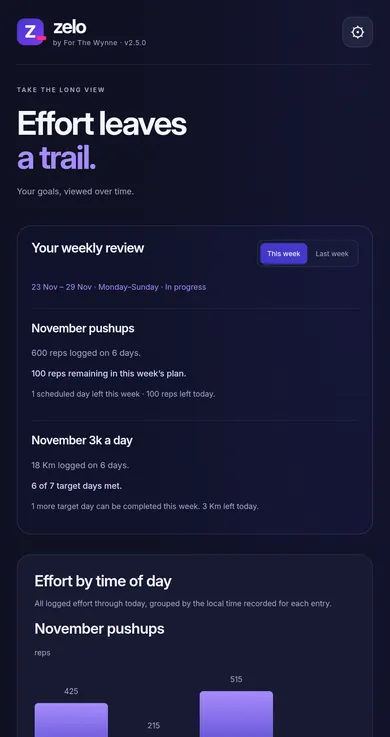
New Show effort by time of day in Insights: morning (06:00–11:59), afternoon (12:00–17:59), evening (18:00–23:59), and night (00:00–05:59). Each challenge keeps its own units.
Improved Preserve log times through editing, reloads, and backup/restore. Times stay as recorded when changing time zones.
Improved Keep older logs compatible without inventing times. Untimed effort is shown separately in Insights; add a time in Activity to include it.
v2.3.2
Improved Recover unreadable saved progress using a known-good backup, preserving the original and rejecting stale recovery writes.
Improved Block ordinary saves after a load failure, including in browser preview.
Improved Keep existing logs readable after backwards clock/timezone changes; continue rejecting future-dated new entries and edits.
Improved Use capacity-aware original daily targets for consistency calendar markers, matching streaks.
New Add setup, architecture, backup-format and recovery documentation, formatting checks, and GitHub CI/release workflows.
Improved Preserve the original personal APK signing identity for local and tagged GitHub builds when the configured key is available.
v2.3
Improved Insights now says “Your goals, viewed over time.” It does not presume a particular activity.
Improved Scheduled days replaces fitness-specific “training days” throughout visible interface copy. Daily average replaces “Training-day average.”
Improved Ten varied, month-free challenge-name placeholders use a shuffled rotation. Each new form gets one example; the placeholder does not keep changing while you type. All ten appear before repeating.
Improved Zero is always displayed as 0, including rounded negative zero and tiny floating-point remainders. Completed work cannot generate a zero-amount reminder.
Improved Thirty original, cheeky reminder phrases include the challenge name and remaining amount/unit. They rotate daily per challenge and keep the same line when an existing notification updates. They use the existing opted-in reminder schedule; no new reminder times are added. Completed, unscheduled and reminders-off challenges stay quiet. Old-day notifications are cleared when the date changes.
Improved Flexible totals: report actual logged effort and overall pace, carrying earlier progress forward. Completing a goal early does not invent missed daily targets. Last week excludes current-week logs.
Improved Session goals: count successful eligible days towards that week’s quota. This week separates completed targets, opportunities still remaining, and targets that can no longer be met. Future days are not labelled missed.
Improved Weeks that only partly overlap a challenge count only eligible scheduled dates. Entries on unscheduled days remain in the activity totals without fulfilling session targets.
Improved Reviews use the challenge’s current goal and schedule. Changing those settings changes the plan used for comparison; dated activity records remain unchanged.
v2.2.1
Improved Refresh at the next local midnight, with the existing periodic check as a fallback.
Improved Recheck when Android resumes, the window regains focus, the device unlocks, or the system date/time zone changes.
Improved Browser visibility, focus, and page restoration use the same refresh path.
Improved Recheck before handling an action so the first tap after sleep uses the current day.
Improved An unfinished new log follows the new day if its default date was untouched. Amount and note drafts are preserved. Explicitly selected dates and existing historical logs are not changed.
Improved Existing logs are retained. Yesterday’s activity stays in Activity; Today shows the current local day’s targets and contributions.