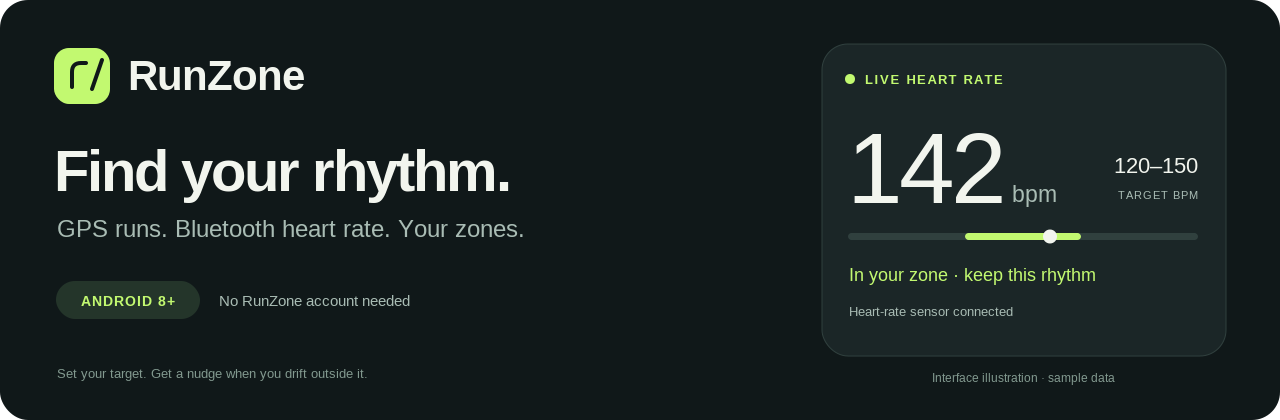
RunZone is a running app for Android that keeps you in your heart-rate zone. Pair a Bluetooth chest strap, pick a target zone, and it tells you with a beep or a buzz the moment you drift too hard or too easy.
Training for a 10K and always going out too fast? Set Zone 2 and RunZone nudges you to ease off before you burn out, without you having to stare at your watch.
WHAT IT DOES
What you get
Alerts you can feel
A sound and a vibration when you leave your target zone, repeating until you're back in range. Optional beeps can follow the rhythm of your heart rate.
Understand every run
“How it went” sums up your pacing, hills, time in zone and heart-rate drift in plain English, so the graphs make sense.
Know when to push
Every run with heart rate gets a load score. A daily verdict (Fresh, Balanced, Building, Take it easy or Overreaching) tells you how hard to go today.
Zones that fit you
RunZone finds your maximum heart rate from your runs and suggests zone boundaries you can apply in one tap.
Share or export
Turn a run into a clean image for social posts, or export FIT files for Strava, Smashrun and Runalyze.
Your runs stay on your phone
No account needed. Back up everything to one file and restore it on a new phone.
GET STARTED
Install RunZone
Download the APK
Tap Download for Android on this page. Your browser may warn that this type of file can harm your device. That's a standard Android message for any app that doesn't come from Google Play. Choose Download anyway.
Allow your browser to install apps
Open the downloaded file. The first time, Android asks you to allow installs from your browser or file manager. Tap Settings, switch on Allow from this source, then go back.
Install
Tap Install. Google Play Protect may offer to scan the app; let it, then tap Install again if asked.
Open and allow permissions
Open the app. It explains each permission when it asks for it (see below).
Updating
RunZone checks for new versions itself. When one is ready you'll get a notification, or go to Settings → App updates → Check for updates. Installing an update keeps your runs.
QUESTIONS
FAQs
Do I need a heart-rate monitor?
No. GPS tracking, pace and distance work on their own. You need a Bluetooth heart-rate monitor for zone alerts and the heart-rate analysis.
Will it work with my watch?
Only if your watch can broadcast heart rate as a standard Bluetooth sensor. Many Garmin, Polar and Coros watches have a “broadcast heart rate” mode. A chest strap is the most reliable option.
Does it work without signal?
Yes. GPS recording works offline. Only uncached map tiles and update checks need the internet.
Why isn't it on Google Play?
Not yet. For now it's distributed directly, which is why Android asks you to allow the install.
Will I lose my runs if I uninstall?
Yes. Uninstalling deletes everything stored on the phone. Use Settings → Your data → Back up first, or simply install updates over the top.
PRIVACY
Your data
RunZone has no account, advertising or analytics, and your data stays on your phone unless you choose to export or share it.
New "How it went" at the top of each run: a plain-English read of your pacing, hills, time in zone, heart-rate drift, effort from heart-rate variability, recovery and cadence, so the graphs are easier to make sense of.
v1.3.0
New Share a run as an image: your route drawn on a clean card with distance, time, pace, heart rate and the best analysis figures, plus a highlight such as your fastest 5 km in the run. Choose Post, Story or Square, and a Night, Lime or Dawn style. Share straight to any app or save to Photos.
Improved Tidy the Distance target row in Settings.
v1.2.9
New Training load and readiness: every run with heart rate gets a load score. The run list shows fitness, fatigue and form over 12 weeks, with a daily verdict (Fresh, Balanced, Building, Take it easy or Overreaching). The run screen shows today's verdict.
New Morning HRV check: 2 minutes lying still with your strap on. It measures resting HRV and heart rate, and readiness compares each morning with your last week.
New Zone suggestions: RunZone finds your maximum heart rate from your runs, and your aerobic threshold from steady runs where possible, then suggests zone boundaries you can apply in one tap. Maximum and resting heart rate can also be set by hand.
Improved Charts are interactive: drag to read values, pinch to zoom, double-tap to reset.
New Back up all runs, HRV checks and training settings to one file, and restore them on any phone. Account sign-ins are never included.
Improved Redesigned Settings, grouped into Your heart, During a run, Auto-pause, Your data, Sensor & phone, and About, with on/off switches beside each option.
v1.2.8
Fix Fix zone beeps sounding doubled while music is playing.
New New run analysis on each run's detail page: metres per heartbeat, grade-adjusted pace (overall, per kilometre, and charted with elevation), rolling 60-second efficiency, aerobic decoupling, time in zone, cadence and estimated step length, heart-rate variability (RMSSD and DFA α1) during steady effort, and best efforts within the run.
New Record heart rate for 2 minutes after finishing while the sensor stays connected, and show heart-rate recovery at 1 and 2 minutes.
New Compare runs on the same route: grade-adjusted pace and efficiency for every run of that course.
New Trends on the run list: weekly distance, and efficiency, grade-adjusted pace and decoupling across your last 12 weeks.
v1.2.7
New Pause, resume, or finish and save a run from its notification, including on the lock screen.
New Delete runs from their detail page. Copies already uploaded to Smashrun, Strava, or Runalyze are kept there.
Improved Keep distance, duration, and pace on screen during a run without scrolling.
New Show current pace over the last 30 seconds alongside average pace.
New Buzz and announce each kilometre with its split time. Turn this off in Settings.
New Show long runs as hours, minutes, and seconds in the run list.
v1.2.6
Improved Automatically save the run in progress every 30 seconds. If RunZone is closed unexpectedly, the next launch offers to keep or discard the unfinished run.
New Save battery by checking for zone beeps only while a run is recording with zone beeps turned on.
New Show the same default heart-rate zone in Settings and on the run screen.